Version 2.8.x
Table of Contents
Feature requests / enhancements implemented
Introduction
Welcome to the November 2019 release of SureDrop version 2.8.0. There are a few significant updates in this version that we hope you will like, some of the key highlights include:
Dashboard
Office 365 Integration
File actions, file search, etc.
You can watch the SureDrop overview and walk-through videos in case you’re not familiar with the system. Other technical know-hows about the product can be found here in SureDrop Documentation.
Version Information
Component |
Version |
|---|---|
Docker images |
|
User Interface |
|
API |
|
Database |
|
Deliverables
Docker images - which can either be downloaded from Docker Hub with the credentials provided during installation; or through the
create-suredrop.batinstallation and upgrade script.Docker volumes - which are installed automagically as part of the installation process. We now have a volume associated with each of our containers.
Release notes - which is this document itself.
Feature requests / enhancements implemented
Dashboard
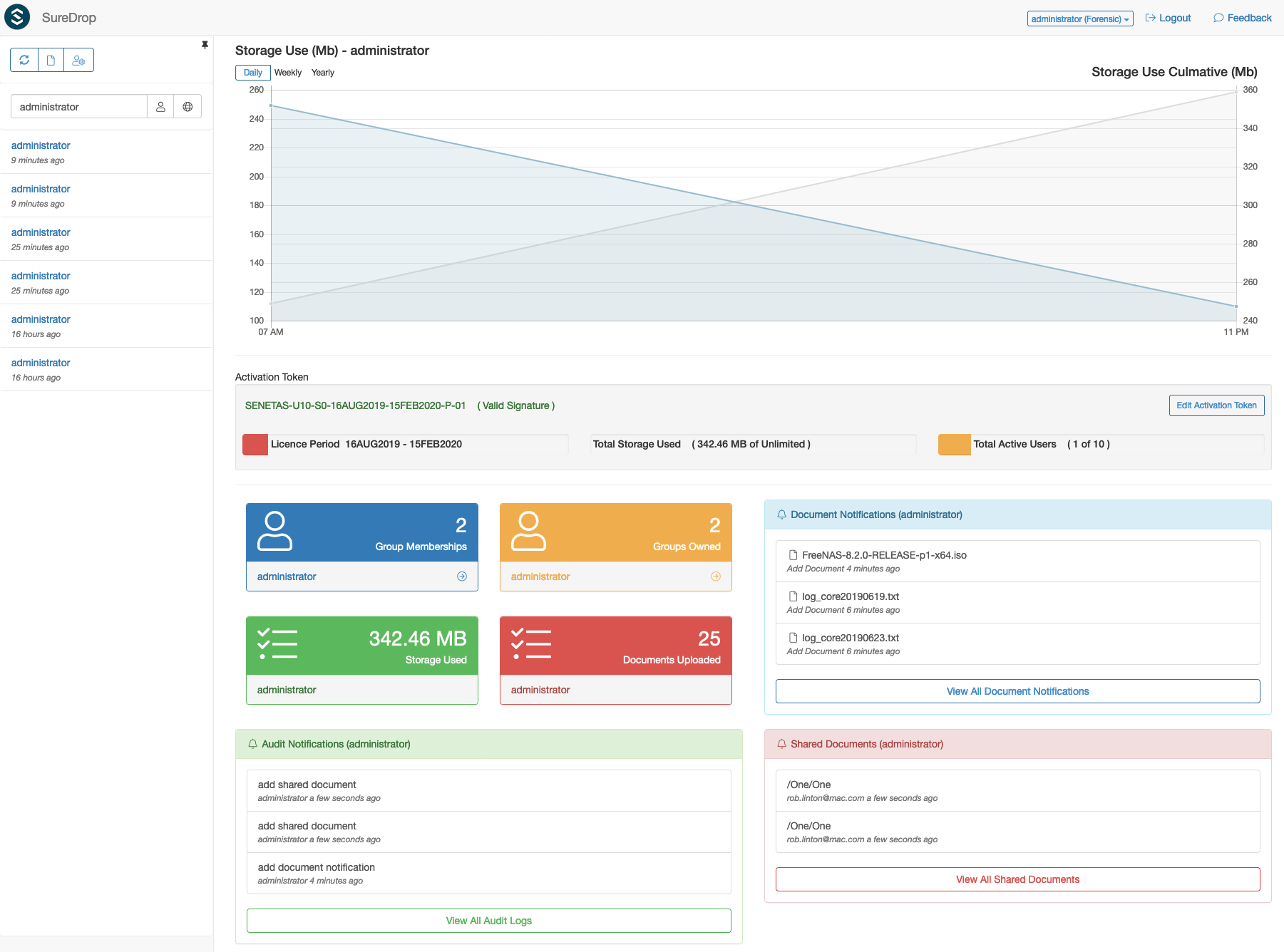
SureDrop now has a user Dashboard to view personal or system wide statistics (depending on the user role) in a glance. As shown in the picture above, the dashboard shows login history, storage graph, license details, group memberships etc. It also has the ability to search for document notifications, file shares and audit logs. Some of the key features are -
Shares
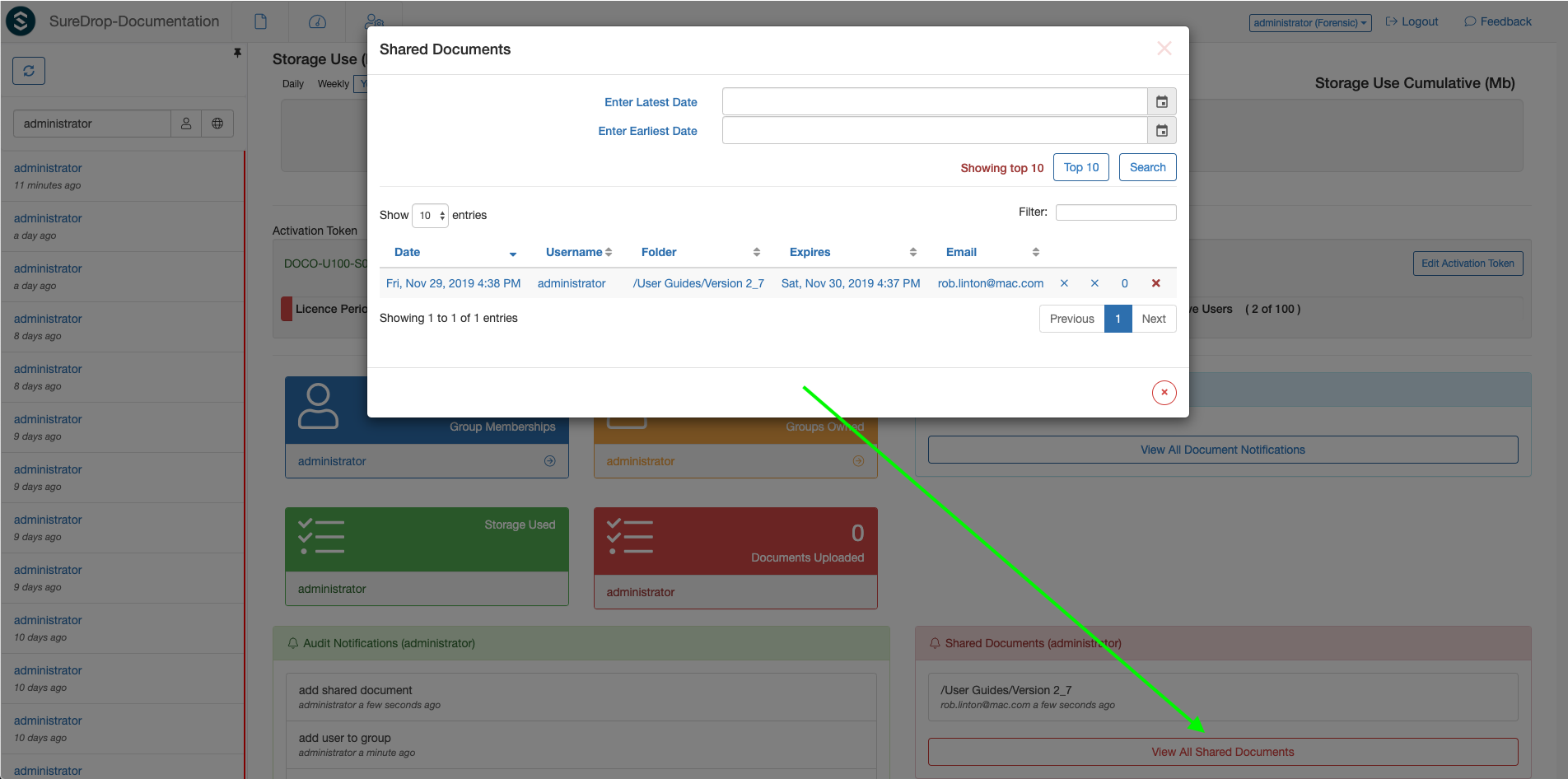
Users can now view and cancel shared file(s) links. They can not only search shares based on date and time, but also filter the rows displayed based on text from any column. To cancel shares they need to click on the red cross at the end of each row in the table. Mouse hover on the folder column shows the file(s) shared in the tooltip text. Clicking on the file will take the users to the file location.
Storage
As shown in the dashboard snapshot above, storage information can be seen either weekly, monthly or yearly in the graph. A consolidated storage usage information card is also present in the dashboard, along with group memberships, documents uploaded and number of groups owned.
Document activity
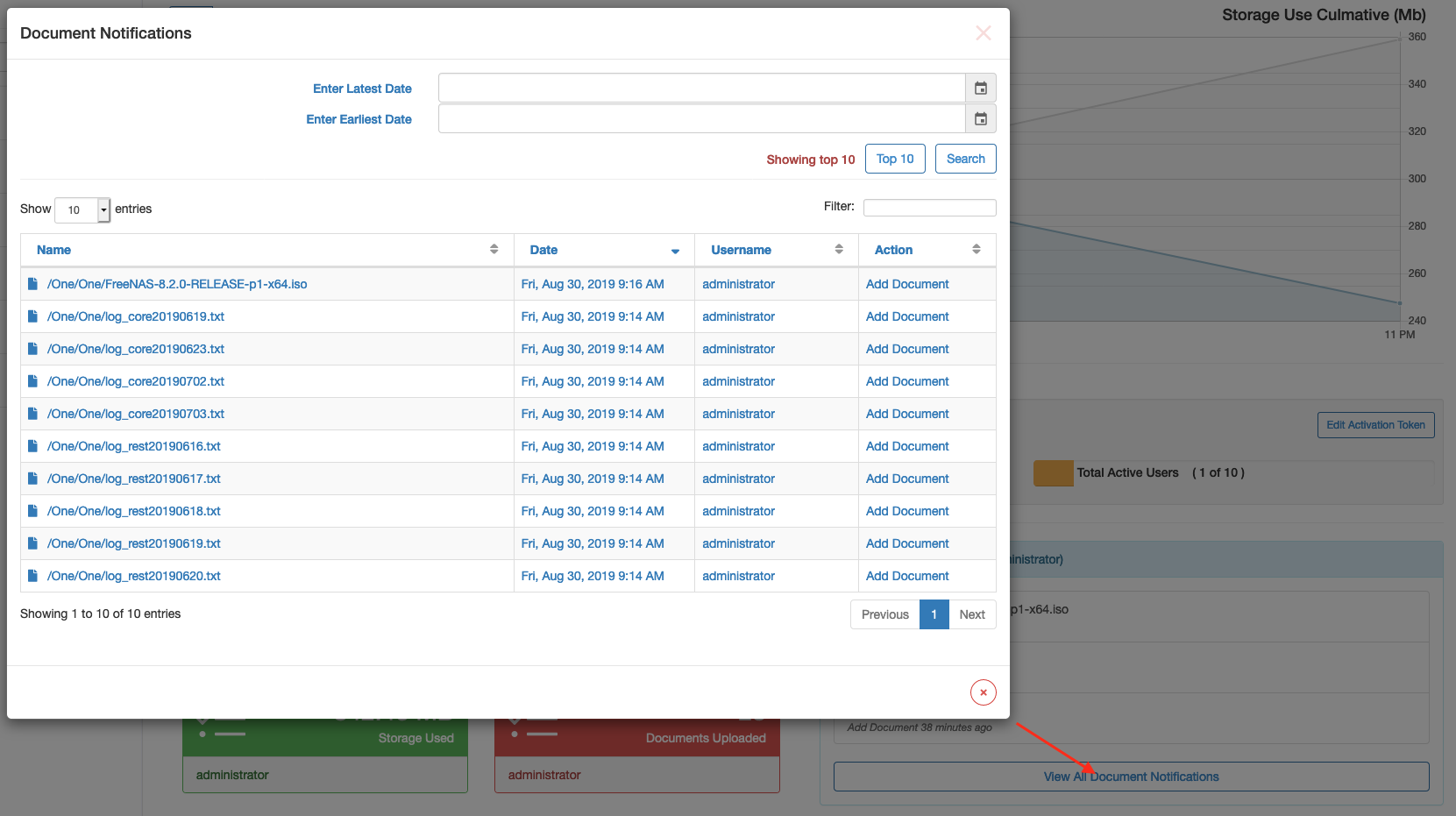
All document notifications can be viewed in the dashboard as shown above. Users can search and filter notifications in the same dialog. Clicking on a document name takes you to the location, selects and highlights the file and sorts the file table based on the selection.
Audit information
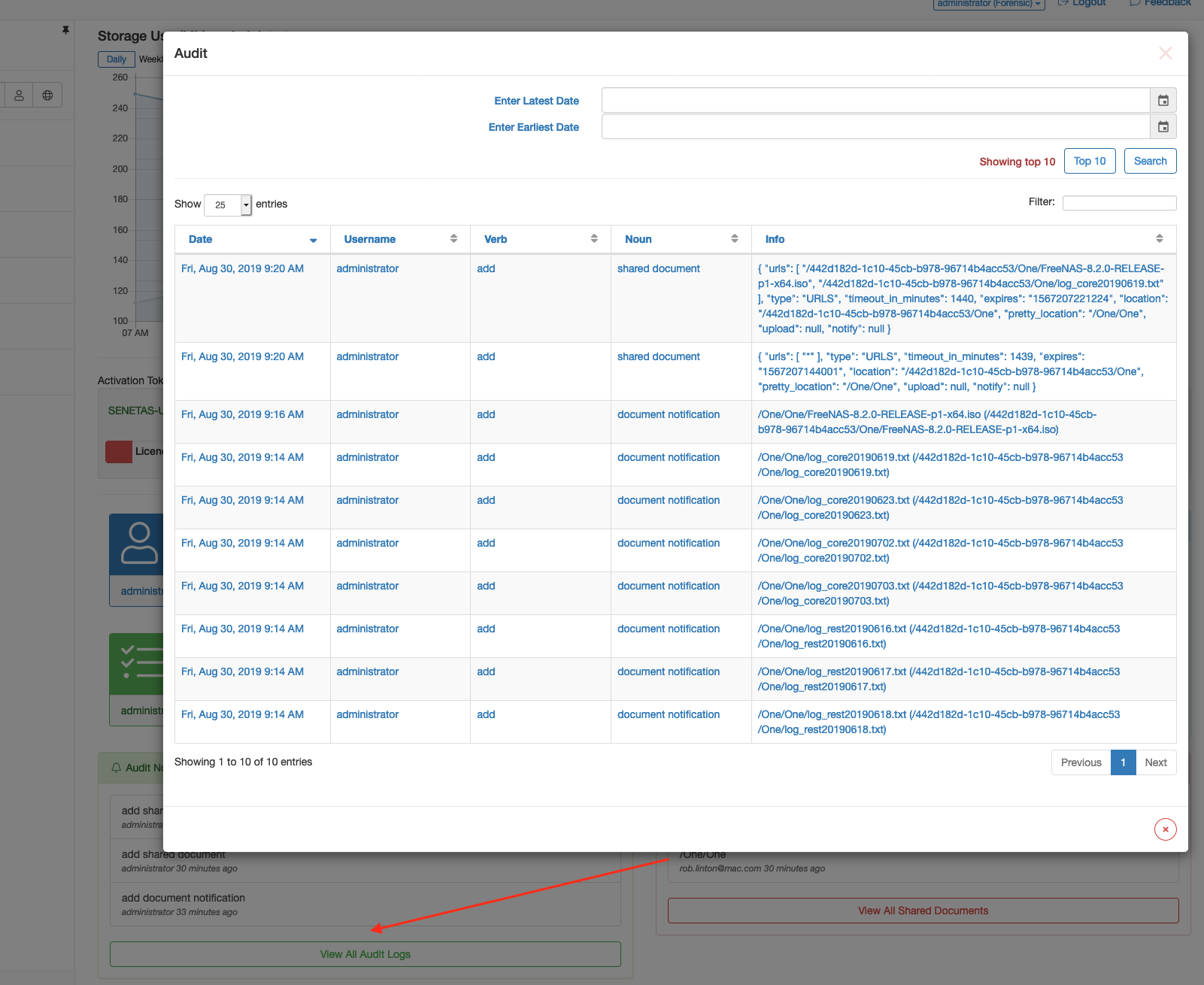
Personal or system-wide (depending on logged-in user’s role) audit logs can be viewed from the dialog shown above. Similar to all other dialogs in the dashboard, users can search and filter audit logs too.
Office 365 Integration
Click the link to read about the details of Office 365.
Downloading as Zip
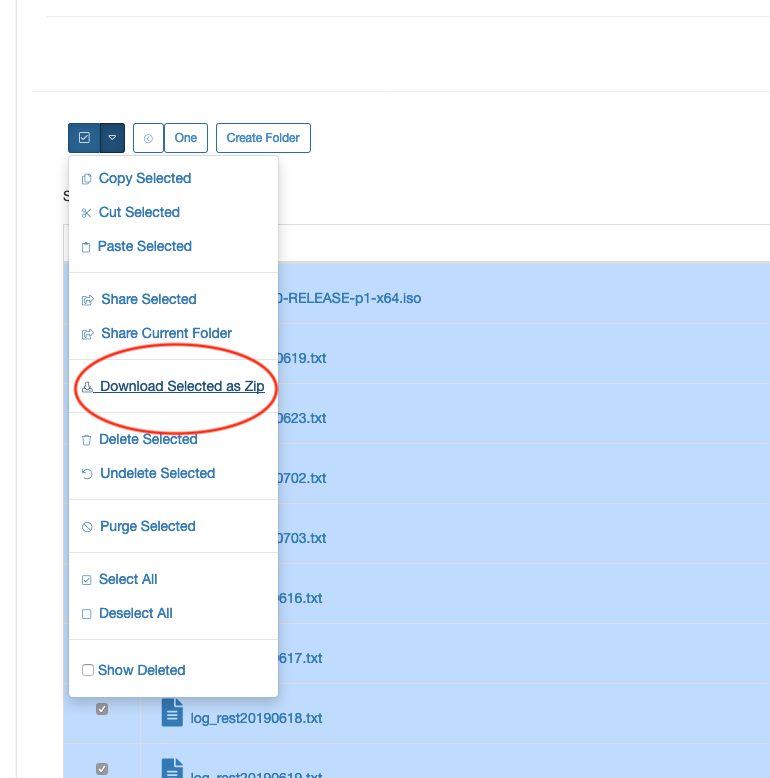
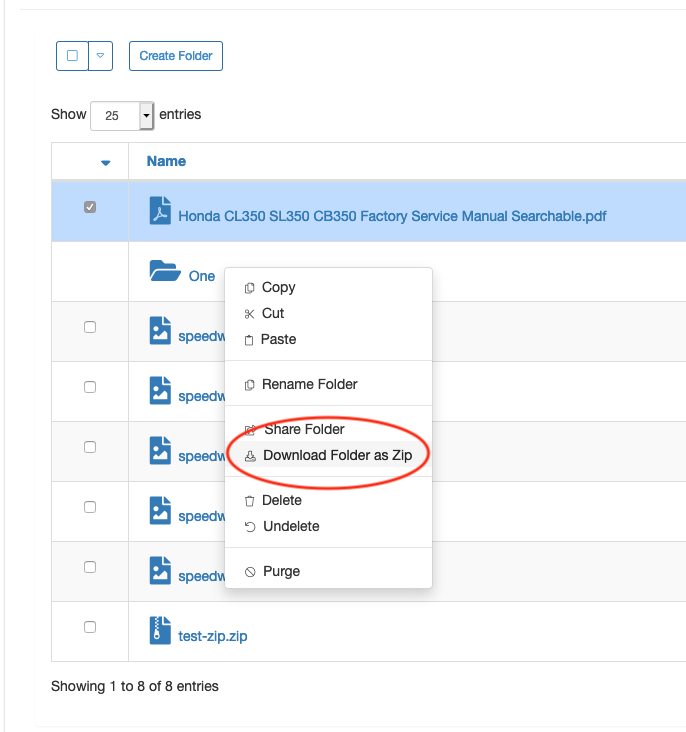
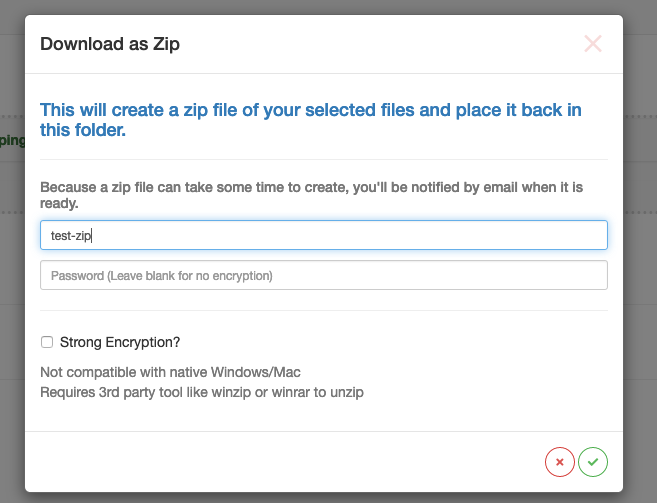
As shown above, SureDrop files and folders now have the ability to be downloaded as a Zip file. Since the archive can take a long time to be created (depending on the file size, etc.) the users are notified asynchronously via email when the zip is ready to be downloaded. Users can choose to password protect or use strong encryption for the zip files too.
File Actions
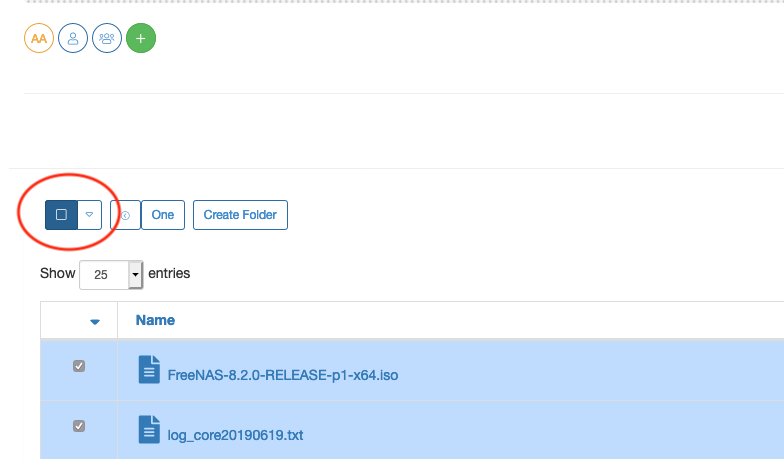
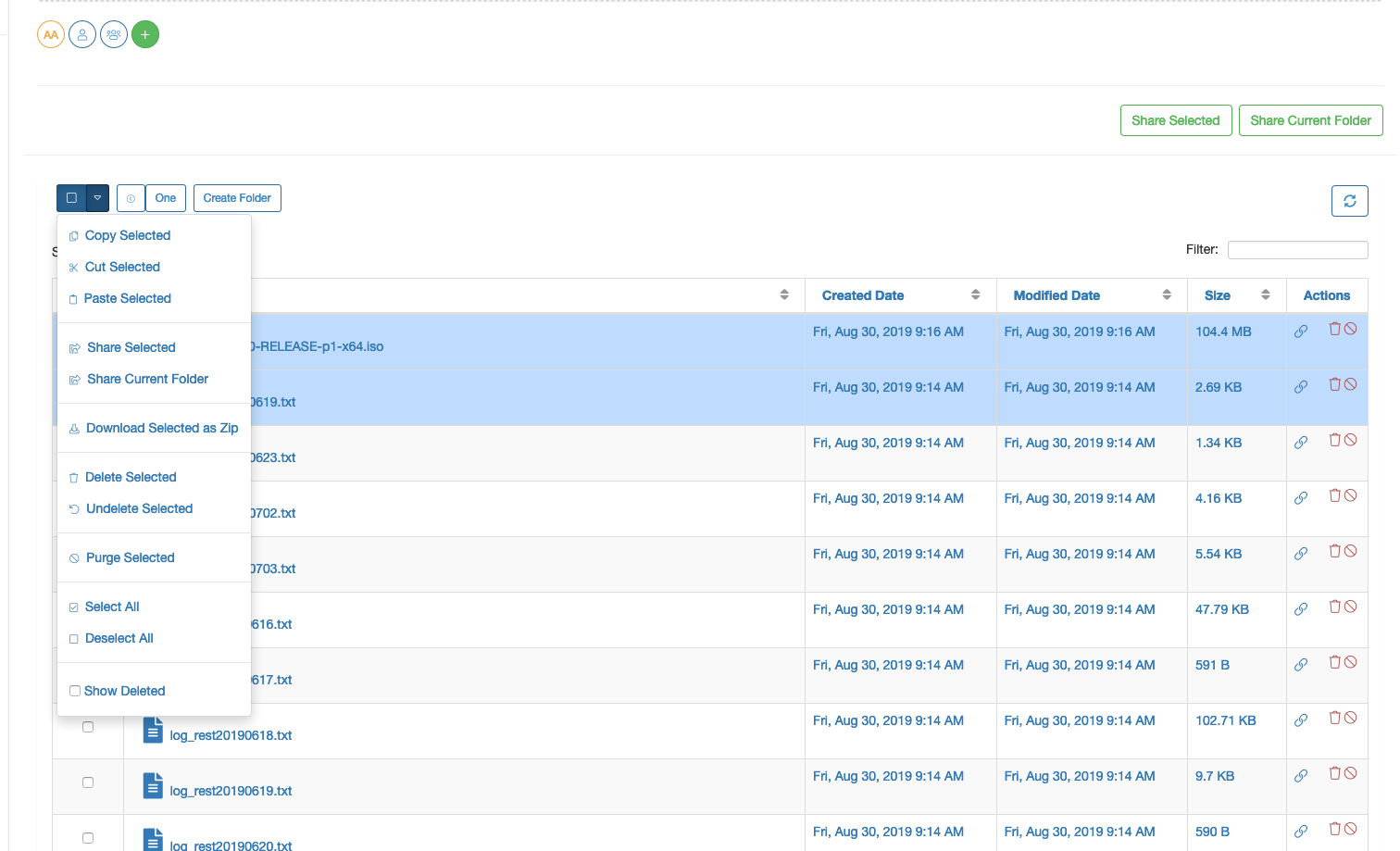
We’ve revamped the GUI a little to make it more intuitive and user-friendly.
There’s a separate select all and deselect all menu as shown above and the file action commands have been moved to a dropdown menu beside it. This GUI is changing quite rapidly according to UX design guidelines and principles. The next major version release will change the file selection mechanism and other parts of this view.
File Search
SureDrop now has file search-ability!
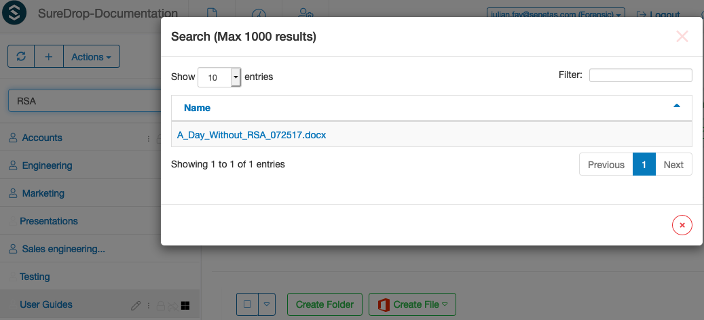
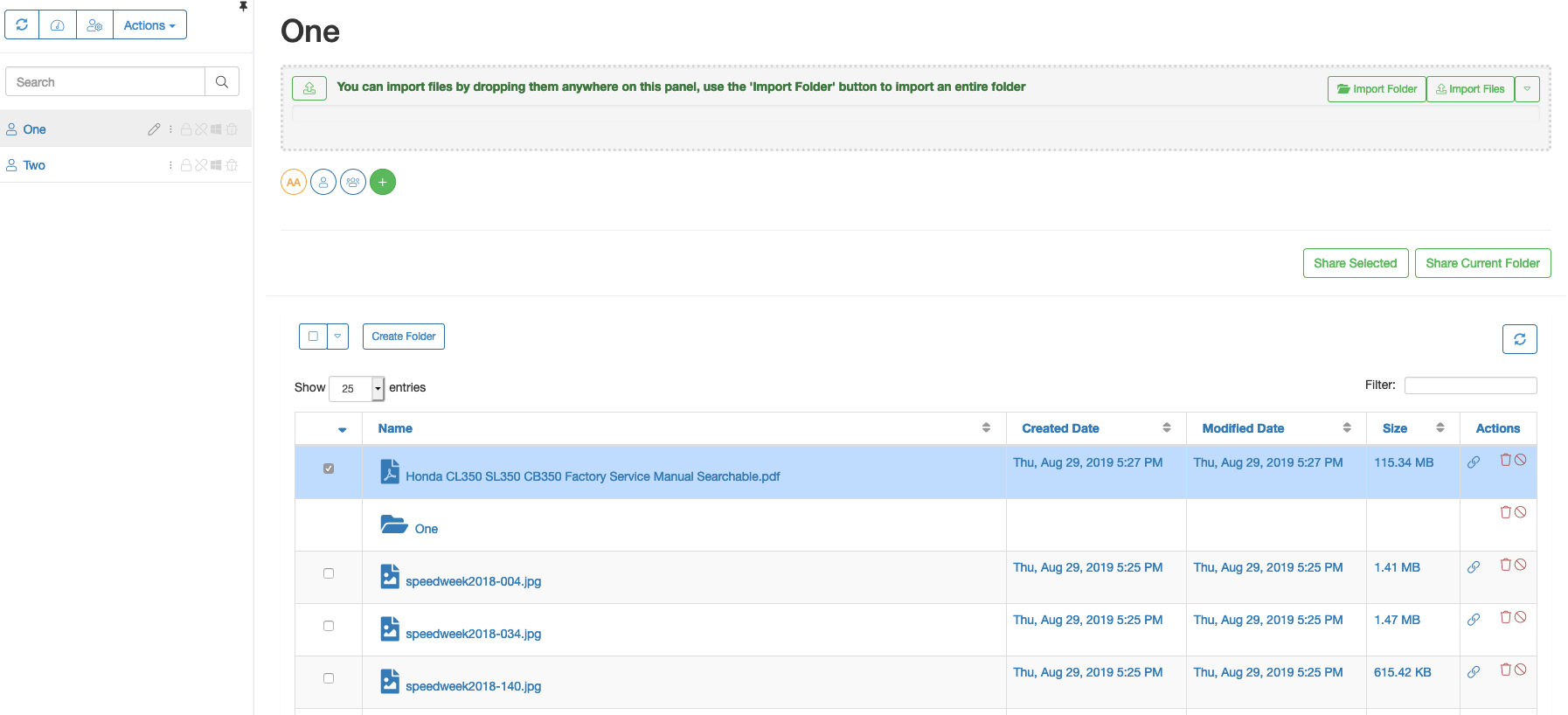
Based on the keyword entered in the search box, the system lists all files the user has access to. The tooltips show the complete file path. This is especially useful because now SureDrop supports multiple groups with the same name. But simplification is never enough, we’ve also added the ability to select the file when the user clicks on a row in the search result. The file is not only selected and highlighted, but also sorted based on selection as shown below.
Digital Rights Management
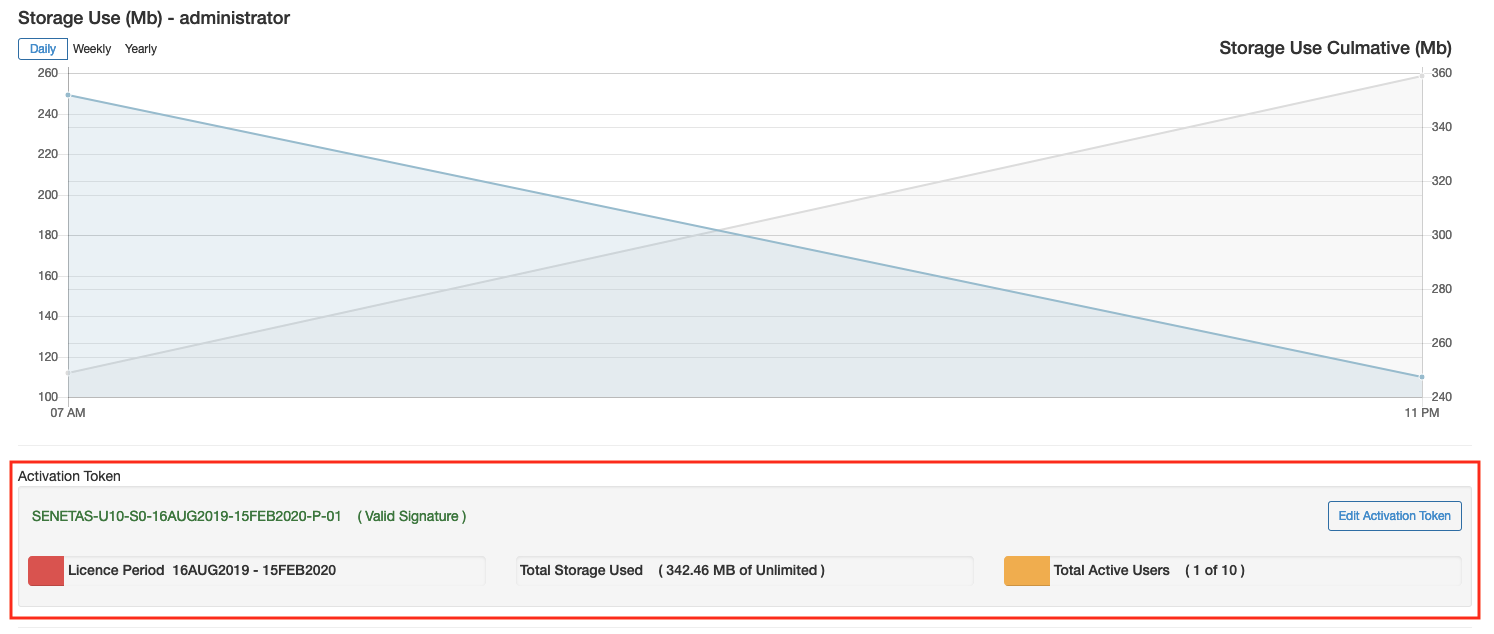
We have implemented license activation as the first step towards its DRM capabilities. Users now need to install a valid license key for using SureDrop. The dashboard not only displays license information but also allows the administrators to edit license information for renewing licenses.
ICAP
Click the link to read about the details of ICAP.
Upgrade
SureDrop upgrade process is seamless and easy via the
create-suredrop.bat script as described in Upgrading or diagnosing a SureDrop instance.
Minor Releases
Version 2.8.1 - 4th Dec 2019
Default Email Region: The default email region has now been set to Virginia to ensure that SPF and DKIM settings are generated correctly.
Version 2.8.2 - 5th Dec 2019
Missing Sharing Buttons: The sharing buttons were hidden for Power and Standard users when they should have been visible.
Version 2.8.3 - 19th Dec 2019
Feature implemented
Binary file conversion in Office 365: SureDrop with Office 365 does not support editing files in binary formats such as
doc,ppt, andxls, directly. However, Office 365 can convert documents in those formats to modern formats likedocx,pptx, andxlsx, so that users can then edit them in Office for the web.Conversion is almost always a lossless process, and there are typically very few, if any, user-visible changes to the layout and formatting of the document during conversion. However, this is not *always* the case, and hosts should be aware that users may wish to revert back to the previous binary version of the document after it has been converted.
Note
This functionality is implemented as seamlessly as editing files in Office 365. The SureDrop user with appropriate rights should click on the Office 365 button beside the filename and he will be prompted with a confirmation dialog stating similar disclaimer as above. Upon clicking the submit button in the dialog (one with the green tick) a new tab will be opened which will convert and allow the user to edit the file. If such a file is converted more than once then each newly converted files will be named according to Windows standard of naming duplicate files (with a
(NUMBER)at the end of the filename).Create File button - now considers the permissions of the currently logged-in user. Previously the button was shown and when the user didn’t have proper rights, then file creation would fail silently. Now the button has been hidden for the users who are not allowed to edit files in a secure group.
SureDrop Read-Only groups - now allow Word, Excel and Powerpoint files to be viewed in Office 365. If the user has appropriate rights for altering the file (such as group owners, administrators etc.) then they can also edit the file within Office 365 by choosing the
Edit in browserbutton.Office 365 and PDF files - PDF viewing in Office for the web is not included as part of SureDrop. There was an Office 365 button beside the filename in SureDrop which was a no-op, this button has been removed. This functionality has been deprecated by Microsoft for their own products too such as OneDrive. OneDrive no longer uses Office for the web for PDF viewing. Much has changed since Office for the web originally added PDF viewing support. In particular, most modern browsers have excellent built-in PDF support within the browser, and most mobile devices have excellent native PDF support as well. These industry advances have made the reasons support was originally added obsolete. Albeit SureDrop doesn’t have sandbox PDF file viewing ability, it is only a matter of time …