SureDrop Integration
After installing and configuring SKC, you will need to configure SureDrop to use the new SKC instance.
This is straight forward.
Select Admin -> Key Server Integration
You will be prompted with the following dialog
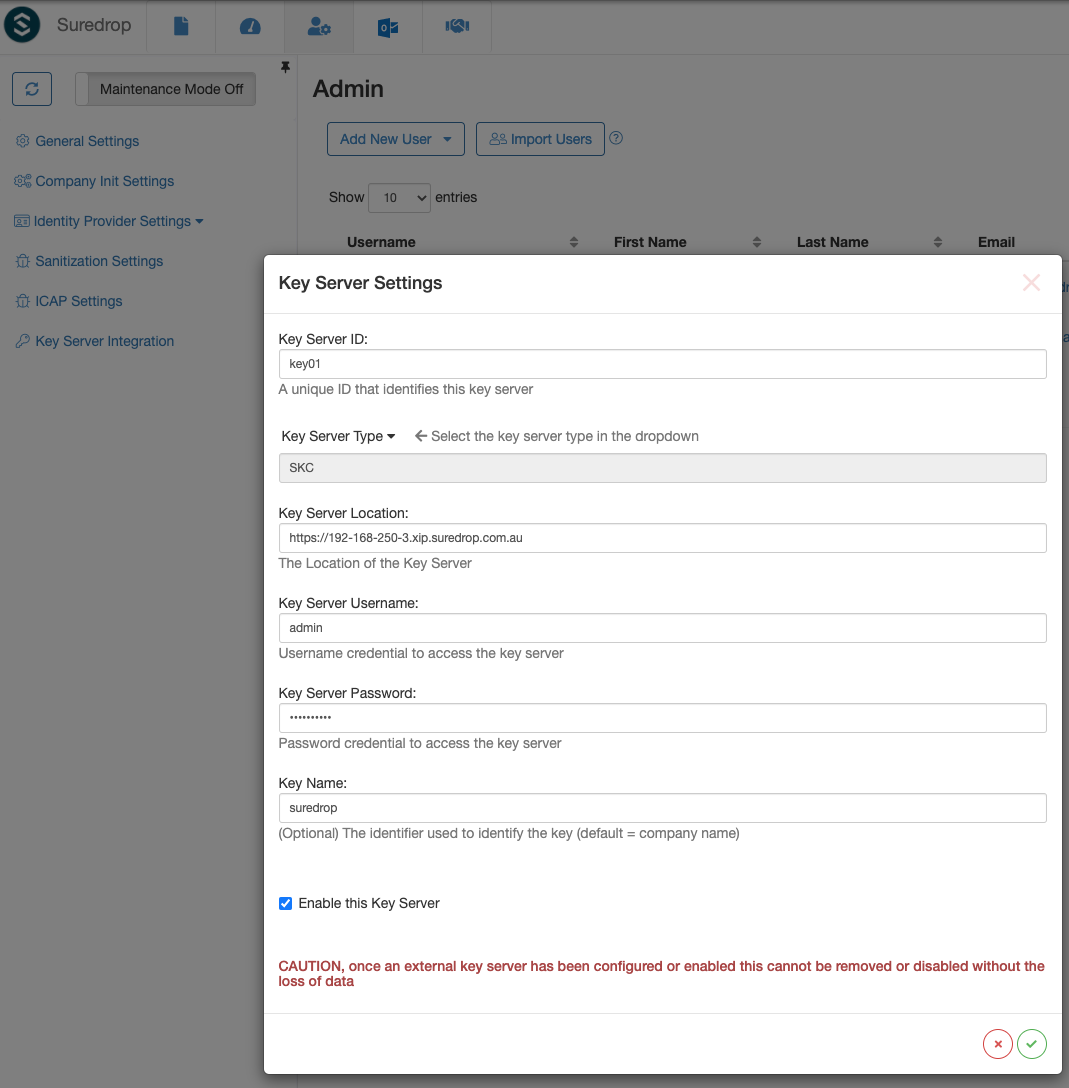
Enter the details for SKC.
Warning
Make sure you use the admin account if you would like to automatically unseal SKC
Make sure you use the full https://XXX-XXX-XXX-XXX.xip.suredrop.com.au URL format when specifying the Key Server Location.