Download multiple files
Multiple files are downloaded in a zip file that can be optionally password protected.
Tip
Select multiple files using the checkboxes next to the filenames
then right click and choose Download Selected as Zip
You will be prompted to enter the zip file name and an optional password.
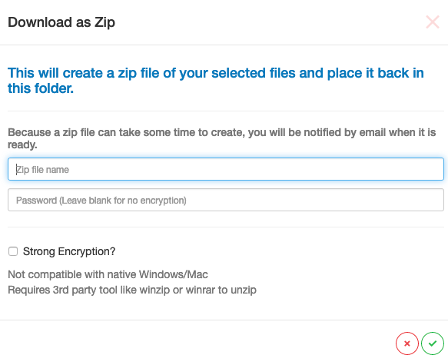
If you are downloading a small number of files the zip file will appear in the directory very quickly (refresh the screen) but if there are a large number of files and/or the files are big then the zip file will take some time to create.
SureDrop will send you an email once the zip file has been created inviting you to login and download it.